

Keyboard Gear earns from qualifying purchases through Amazon links.
If you have an 11-inch M4 or M5 iPad Pro, Apple’s Magic Keyboard is the best iPad keyboard, with backlit keys, a function row and a haptic glass trackpad. For the 13-inch iPad Pro, ESR’s keyboard case adds a trackpad for far less. For any iPad, the Logitech Keys-to-Go 2 is the best portable keyboard, and the OMOTON Bluetooth keyboard is the budget pick.
An iPad can stand in for a laptop for email, writing and study, but typing on glass gets old fast. The right keyboard depends on your iPad model and how you use it: a keyboard case turns it into a mini laptop, while a standalone Bluetooth keyboard works with any iPad and your other devices too. If you’re new to it, our guide on how to connect a Bluetooth keyboard covers pairing.
This guide compares four iPad keyboards sold on Amazon US. We checked availability and prices on Amazon US on November 28, 2026, and specs come from the manufacturers’ listings. We haven’t tested these keyboards ourselves. Keyboard cases fit specific iPad models, so check yours before buying.
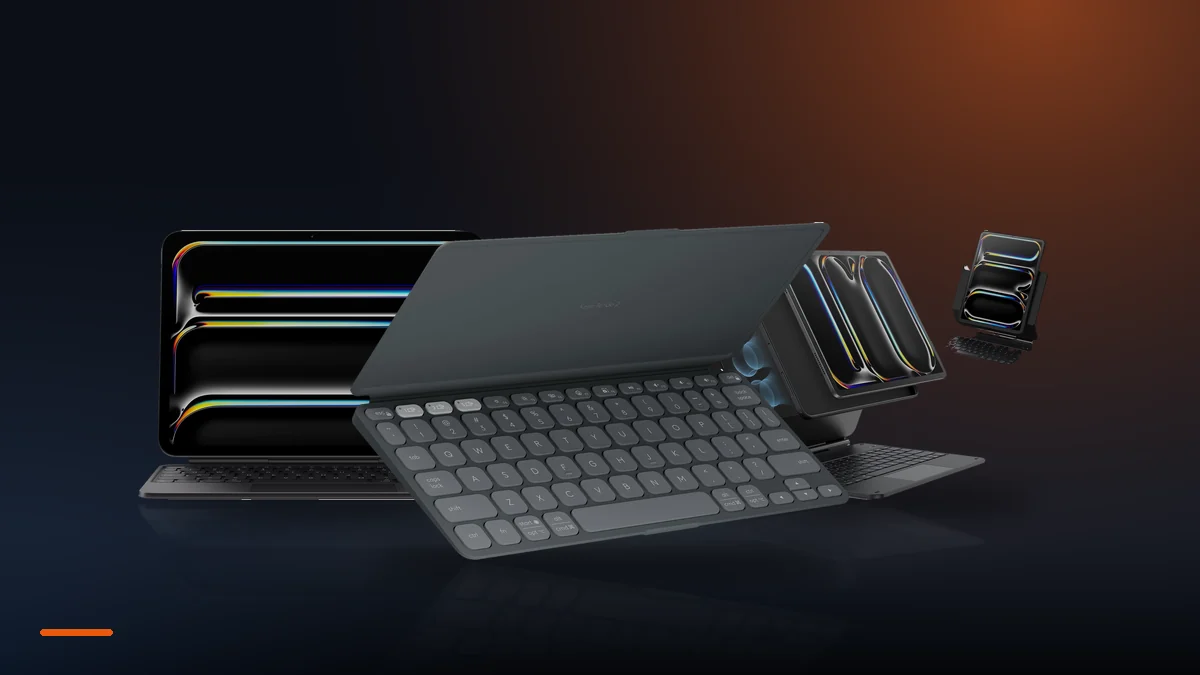
Best iPad keyboards overview
| Product | Best for | Key specs | Price |
|---|---|---|---|
1 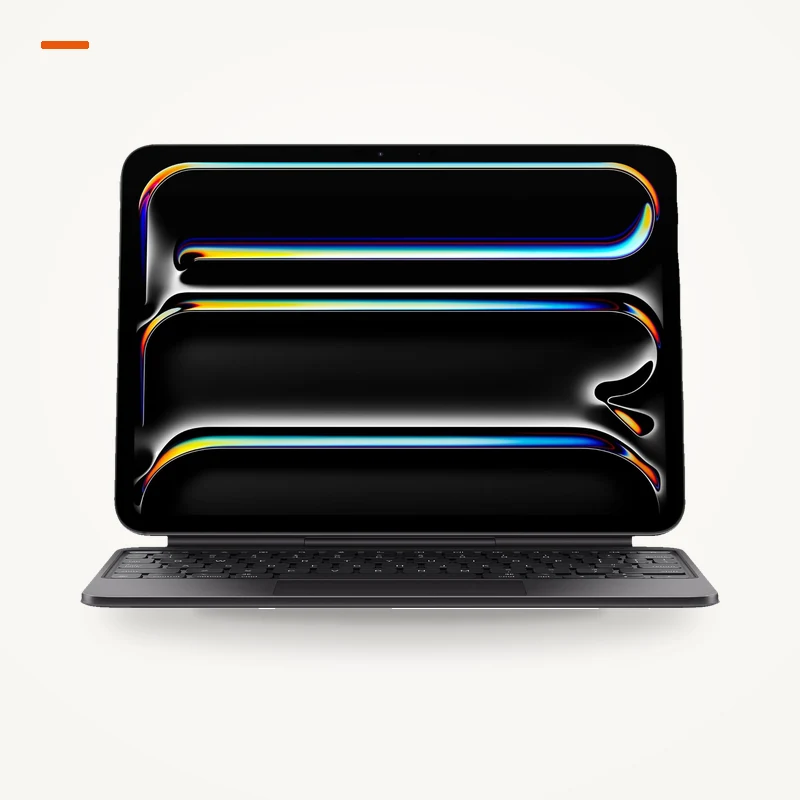 Apple Magic Keyboard for iPad Pro 11-inch (M4 and M5) |
Best overall for iPad Pro |
|
Check Price |
2 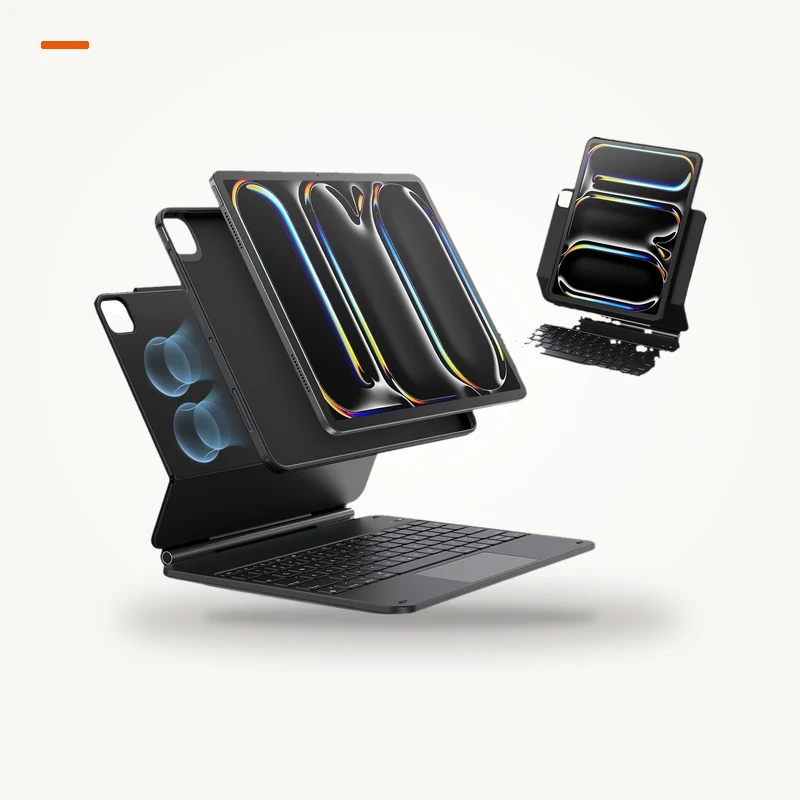 ESR Keyboard Case for iPad Pro 13-inch (M5/M4) |
Best trackpad case for iPad Pro 13 |
|
Check Price |
3 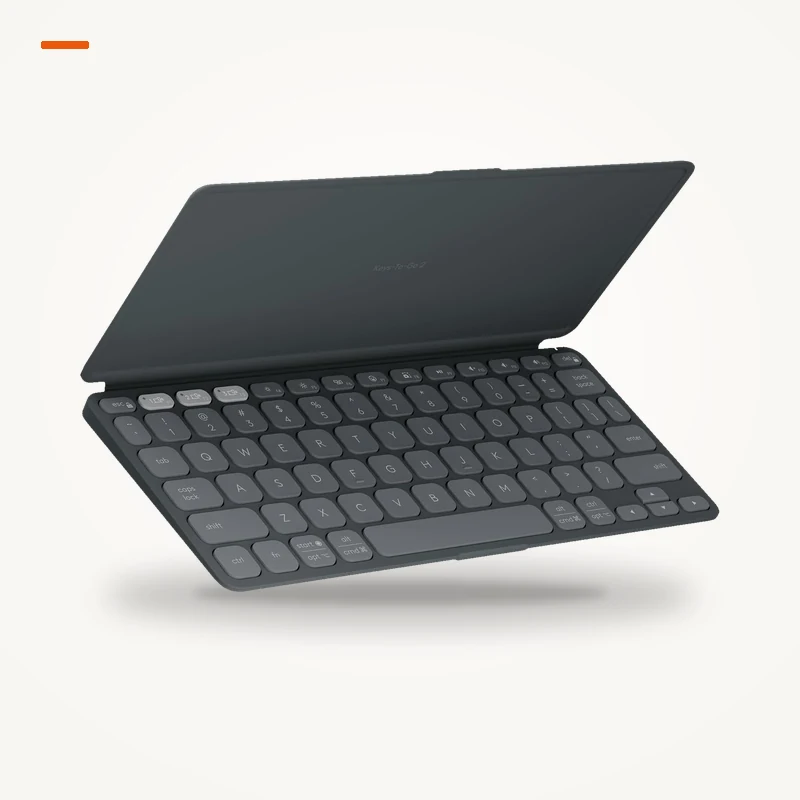 Logitech Keys-to-Go 2 for iPhone, iPad and Mac |
Best portable keyboard |
|
Check Price |
4 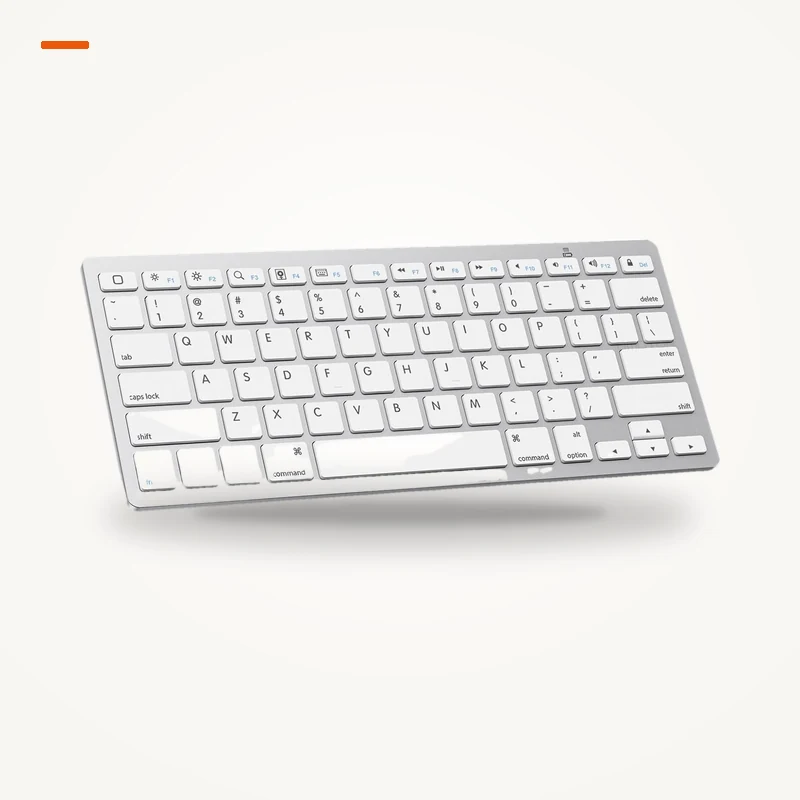 OMOTON Ultra-Slim Bluetooth Keyboard for iPad |
Best budget |
|
Check Price |
How to choose an iPad keyboard
Check your iPad model first
Keyboard cases are made for specific iPad sizes and generations, and a case for one model usually won’t fit another. Find your model in Settings > General > About, then match it to the listing. Standalone Bluetooth keyboards don’t have this problem.
Keyboard case or standalone keyboard?
A keyboard case protects the iPad, holds it upright and is always with you, but it adds weight and fits one model. A standalone keyboard works with any iPad, phone or computer and can be left behind when you don’t need it, but you’ll need a separate stand. Our guide to travel keyboards has more portable options.
Trackpad
iPadOS supports a pointer, and a trackpad makes editing text and moving between apps far quicker. Apple’s Magic Keyboard and ESR’s case include one; the Keys-to-Go 2 and OMOTON don’t.
Connection and power
Apple’s Smart Connector keyboards draw power from the iPad and never need pairing. Bluetooth keyboards need pairing and charging or batteries, but work across devices.
Key feel
All four of these use low, laptop-style keys. If you’re curious how they differ from mechanical switches, see our explainer on scissor switch keyboards.
The best iPad keyboards reviewed
1. Apple Magic Keyboard for iPad Pro 11-inch (M4 and M5) — best keyboard case for iPad Pro
Who it’s for: iPad Pro 11-inch owners who want the most laptop-like typing and trackpad experience.
Apple’s Magic Keyboard for the M4 and M5 iPad Pro attaches magnetically and draws power from the iPad, so there’s no pairing or charging. It has backlit scissor keys with a 10-key function row and a glass trackpad with haptic feedback and Multi-Touch gesture support.
A cantilever hinge adjusts the viewing angle, the case folds to protect the front and back, and a USB-C port provides pass-through charging. It only fits the 11-inch iPad Pro (M4 and M5), so check your model. It was $275.49, sold by Amazon.com, on November 28, 2026.
Key specs: For iPad Pro 11-inch (M4 and M5) only; magnetic attachment with no pairing or charging; backlit scissor keys with 10-key function row; glass trackpad with haptic feedback and Multi-Touch; adjustable cantilever hinge; front and back protection; USB-C pass-through charging.
- Best typing and trackpad
- No pairing or charging
- Function row and backlight
- Sold by Amazon.com
- Very expensive
- Fits only one iPad model
- Adds weight
2. ESR Keyboard Case for iPad Pro 13-inch (M5/M4) — best iPad Pro 13 keyboard case alternative
Who it’s for: 13-inch iPad Pro owners who want a trackpad keyboard case for much less than Apple’s.
ESR’s keyboard case for the 13-inch M4 and M5 iPad Pro uses strong magnets and a floating cantilever stand that opens to the angle you want. The back case detaches so you can use the iPad on its own with protection, and it can be set up in a raised screen view or portrait mode for video calls.
It connects over Bluetooth and has an extended multi-touch trackpad for tapping, pinching and swiping. ESR lists it for iPad Pro 13-inch models A2925, A2926, A3007, A3360, A3361 and A3362 only. It was $101.99, sold by Minghutech-US, on November 28, 2026.
Key specs: For iPad Pro 13-inch (M5/M4, 2024/2025) models A2925, A2926, A3007, A3360, A3361, A3362; magnetic floating cantilever stand; detachable back case; raised screen and portrait modes; multi-touch trackpad; Bluetooth.
- Trackpad for much less than Apple
- Detachable back case
- Several viewing modes
- Full-body protection
- Fits only the 13-inch Pro
- Battery details not listed
- Third-party seller
3. Logitech Keys-to-Go 2 for iPhone, iPad and Mac — best portable iPad keyboard
Who it’s for: Anyone with more than one Apple device, or an iPad that a keyboard case doesn’t fit.
Logitech’s Keys-to-Go 2 is a slim standalone Bluetooth keyboard with a built-in cover that folds over the keys for travel. It works with iOS, iPadOS and macOS, pairs with up to three devices and switches between them with one key, so the same keyboard can serve your iPad and iPhone.
The scissor keys are spaced for comfortable typing, and a full row of shortcut keys controls volume, media and brightness. Logitech says the pre-installed coin cell batteries last up to three years. There’s no trackpad, so you’ll touch the screen or use a mouse. It was $59.99, sold by Amazon.com, on November 28, 2026.
Key specs: Bluetooth keyboard for iOS, iPadOS and macOS; built-in protective cover; scissor keys; row of shortcut keys; pairs with up to 3 devices; coin cell batteries included, up to 3 years of battery life; F-row customisation in Logi Options+ on Mac.
- Works with any iPad
- Pairs with three devices
- Years of battery life
- Built-in cover
- No trackpad
- Not a case or stand
- Compact layout
4. OMOTON Ultra-Slim Bluetooth Keyboard for iPad — best cheap iPad keyboard
Who it’s for: Students and casual typists who want a cheap keyboard for an iPad they already have.
OMOTON’s slim Bluetooth keyboard is a very inexpensive way to type on an iPad. It has a 78-key QWERTY layout with 12 iOS hotkeys for volume, brightness and music, and it’s listed for a wide range of iPads, including the A16, iPad Air, iPad Pro and iPad mini, plus recent iPhones.
It runs on two AAA batteries, which aren’t included, and OMOTON says auto sleep stretches them to up to 400 hours of use. It measures 11.2 by 4.7 inches, so it’s easy to pack. OMOTON notes the function keys aren’t fully compatible with other systems. It was $16.13 (Prime member price), sold by OMO office, on November 28, 2026.
Key specs: 78-key Bluetooth keyboard; 12 iOS and iPadOS hotkeys; listed for iPad A16, 10th and 9th gen, iPad Air, iPad Pro and iPad mini, plus recent iPhones (iPadOS/iOS 14.5+); 2 × AAA batteries (not included); auto sleep after 10 minutes, up to 400 hours of use; 11.2 × 4.7 in; 0.2 in thin.
- Very low price
- Fits almost any iPad
- Slim and light
- Long battery life
- Batteries not included
- No trackpad or stand
- Function keys built for iOS
iPad keyboards compared
| Keyboard | Type | Fits | Trackpad | Power | Price (Nov 28) |
|---|---|---|---|---|---|
| Apple Magic Keyboard | Case | iPad Pro 11-inch (M4, M5) | Yes, haptic glass | From iPad | $275.49 |
| ESR keyboard case | Case | iPad Pro 13-inch (M4, M5) | Yes | Bluetooth (battery not listed) | $101.99 |
| Logitech Keys-to-Go 2 | Standalone | Any Bluetooth Apple device | No | Coin cells, up to 3 years | $59.99 |
| OMOTON Ultra-Slim | Standalone | Most iPads and iPhones | No | 2 × AAA | $16.13 (Prime) |
Which iPad keyboard fits you?
| If you… | Choose | Why |
|---|---|---|
| Own an 11-inch M4 or M5 iPad Pro | Apple Magic Keyboard | Best keys and trackpad, no charging |
| Own a 13-inch M4 or M5 iPad Pro | ESR keyboard case | Trackpad case for much less |
| Switch between iPad, iPhone and Mac | Logitech Keys-to-Go 2 | Three-device pairing |
| Want the cheapest option | OMOTON | Around $16, fits most iPads |
Getting more from your iPad keyboard
- Hold the Command key in most apps to see a list of available shortcuts.
- Use Command-Tab to switch apps and Command-Space to search, just like on a Mac; our Mac keyboard shortcuts guide covers many that also work on iPad.
- Change modifier keys in Settings > General > Keyboard > Hardware Keyboard if you prefer Caps Lock as Escape or Control.
- For accented letters, press and hold a key or use Option shortcuts; see how to type accents.
FAQ
Can I use any Bluetooth keyboard with an iPad?
Almost any Bluetooth keyboard works with an iPad, though media and function keys made for Windows or Android may not all work.
Is Apple’s Magic Keyboard worth it?
If you use an 11-inch M4 or M5 iPad Pro like a laptop, it offers the best typing and trackpad experience. For occasional typing, a cheaper Bluetooth keyboard is enough.
Will a keyboard case fit a different iPad model?
Usually not. Cases are made for specific sizes and generations, so check your model number against the listing.
Does the iPad support a trackpad?
Yes. iPadOS supports a pointer with trackpads and mice, including gestures on supported trackpads.
Do iPad keyboards need charging?
Smart Connector keyboards like Apple’s are powered by the iPad. Bluetooth keyboards use batteries or need charging.
Final verdict
For an 11-inch M4 or M5 iPad Pro, Apple’s Magic Keyboard is the best iPad keyboard you can buy. ESR’s case is the value trackpad case for the 13-inch Pro, the Logitech Keys-to-Go 2 is the best keyboard to carry between devices, and the OMOTON is a cheap, simple way to start typing on almost any iPad.

Experience is what matters at the end!!
Hi! This is Jacob Jay – founder of Keyboardgear.com! From childhood to adulthood, I’ve always remained passionate about IT, and the revolution in this industry, especially gaming on the PC can’t go out of my way. Since I’m an enthusiastic gamer, and I love to experience various gaming accessories, particularly mechanical keyboards, that really boost my gaming adventure manifolds. So, my nerve cells hit me to transfer my experiences into word form and share with others to identify the ideal keyboards perfectly fit for their gaming modes.
I know very well how hard it is to find the high-quality items available on the internet that ought to be exactly the same as seen as on the screen. But the counterfeiters have ruined the user’s trust. As I have passed all such situations, I’m obliged to deliver the genuinity and express the same as what I am saying.
So, now, I’m working on the mission to provide very helpful and frankly but trustworthy reviews and guides about various mechanical keyboards, mouses, and other gaming accessories as per my personal experiences and sound knowledge.