

Quick answer
The actuation point is how far you press a key before the keyboard registers it. On a standard mechanical switch such as a Cherry MX Red it is about 2.0 mm, roughly halfway down a 4.0 mm total travel. Speed switches actuate at about 1.2 mm, and Hall effect (magnetic) keyboards let you set it yourself, from as little as 0.1 mm up to the full depth.
A shorter actuation point feels faster and suits gaming; a standard or deeper one gives more room for error and suits most typists. Actuation force, measured in grams or centinewtons, is a different thing: how hard you press, not how far.
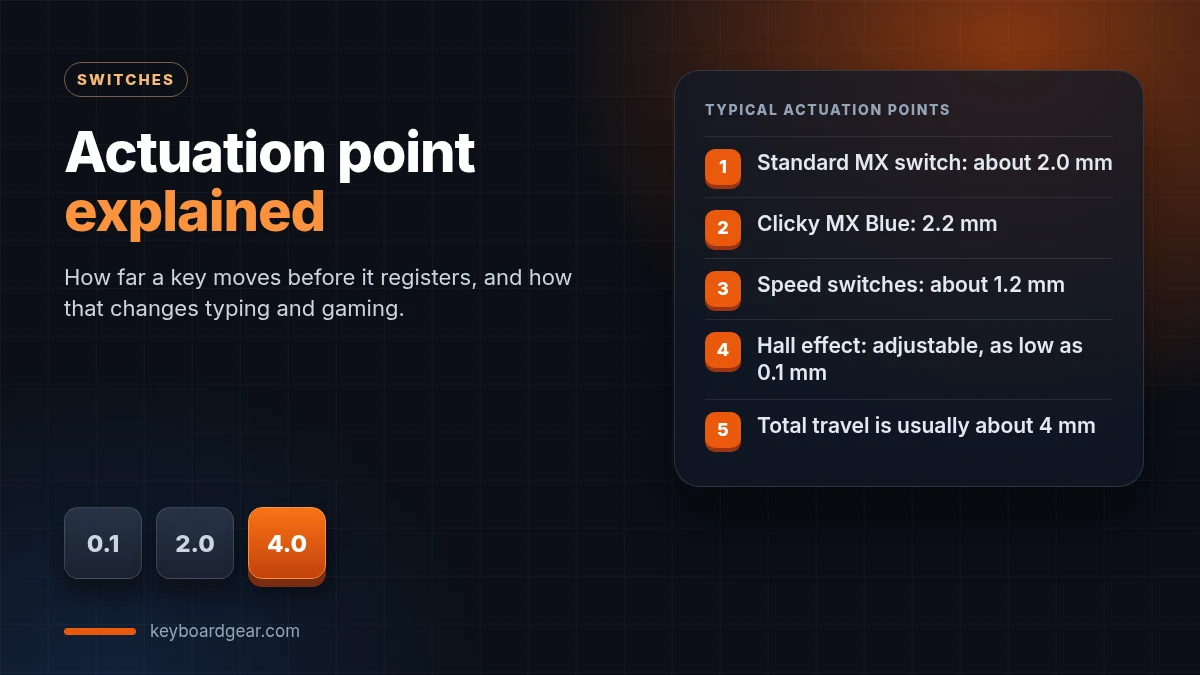
Switch specs are full of numbers, and three of them are easy to confuse: actuation point, total travel and actuation force. Together they decide how a key feels and how fast it responds. Understanding them makes it much easier to pick switches, compare gaming keyboards and set up an adjustable board.
This guide explains each term in plain language, gives real figures for popular switches from manufacturer specs, and explains which actuation settings suit typing and gaming.
The key terms
Actuation point (pre-travel)
The actuation point is the depth at which the switch sends the keypress. Manufacturers often list it as pre-travel or actuation travel. If a switch has 2.0 mm pre-travel, the key registers once it has moved 2.0 mm down.
Total travel
Total travel is how far the key can move before it bottoms out. Most standard mechanical switches have about 4.0 mm. Everything after the actuation point is extra movement; you don’t need to press all the way down for the key to register.
Actuation force
Actuation force is how much force it takes to reach the actuation point, usually given in grams-force (gf) or centinewtons (cN), which are close enough to compare directly. A Cherry MX2A Red needs 45 cN; a Gateron Baby Kangaroo 2.0 needs about 59 gf. Force and distance are independent: a switch can be light and short, or heavy and deep.
Reset point
The reset point is where the key “lets go” on the way back up, so it can be pressed again. On standard switches it is fixed, close to the actuation point. On Hall effect boards with rapid trigger, the reset happens as soon as the key starts rising.
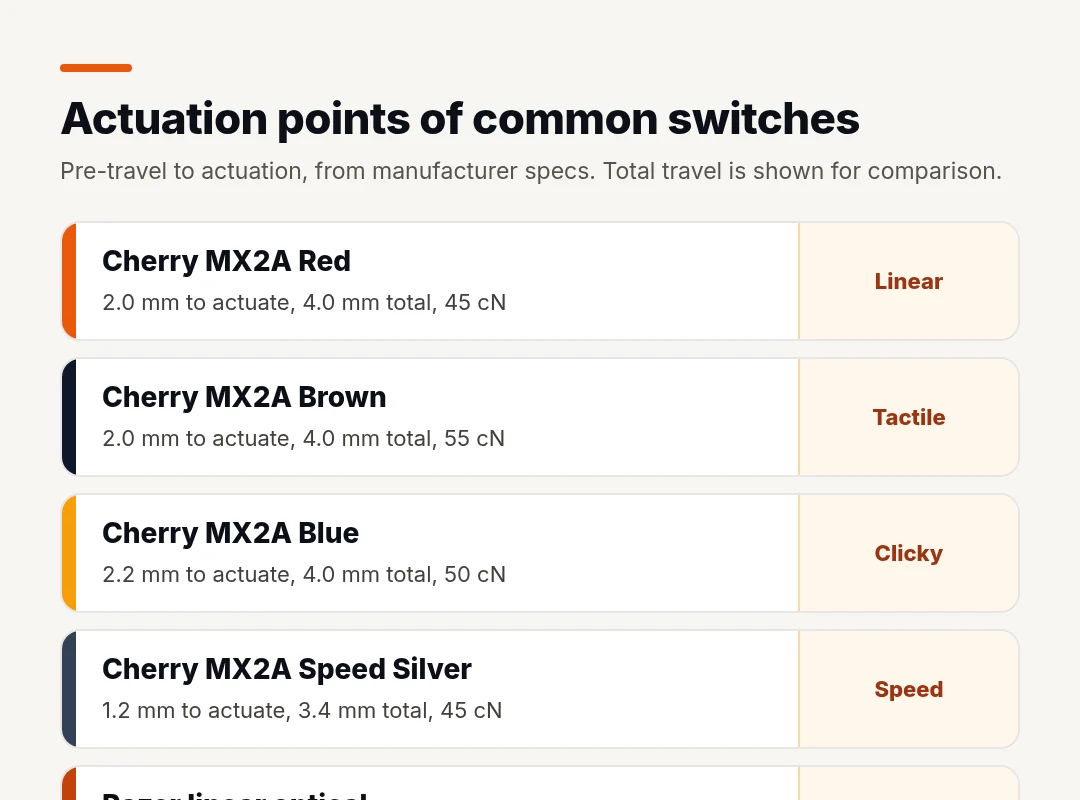
Actuation points of common switches
| Switch | Type | Actuation point | Total travel | Actuation force |
|---|---|---|---|---|
| Cherry MX2A Red | Linear | 2.0 mm | 4.0 mm | 45 cN |
| Cherry MX2A Brown | Tactile | 2.0 mm | 4.0 mm | 55 cN |
| Cherry MX2A Blue | Clicky | 2.2 mm | 4.0 mm | 50 cN |
| Cherry MX2A Speed Silver | Linear (speed) | 1.2 mm | 3.4 mm | 45 cN |
| Gateron Baby Kangaroo 2.0 | Tactile | 2.0 mm | 3.4 mm | 59 gf |
| Razer linear optical | Linear (optical) | 1.2 mm | Varies by model | Varies |
| Wooting Hall effect (Lekker) | Magnetic | Adjustable 0.1 to 4.0 mm | 4.0 mm | Varies by switch |
Figures come from Cherry’s, Gateron’s, Razer’s and Wooting’s own specifications. Most standard MX-style switches from other makers also actuate at about 2.0 mm. See our roundups of the best linear switches and best tactile switches for more examples.
How tactile and clicky switches fit in
On a tactile switch, the bump is designed to sit just before or around the actuation point, so you feel the key register and can stop pressing. On a clicky switch, the click happens around actuation too; on an MX Blue, Cherry lists a slightly deeper 2.2 mm actuation. A linear switch has no signal at all, so you can’t feel where it actuates; most people simply press to the bottom. Our guide to linear vs tactile vs clicky switches explains the feel of each.
Shorter vs deeper actuation
Shorter actuation (about 1.0 to 1.5 mm)
- Faster response. The key registers after less movement, which saves a fraction of a second on every press. Competitive gamers like this.
- More accidental presses. Resting a finger on a key, or brushing a neighbour, can trigger it. Heavy-handed typists often get more typos.
- Feels light and sensitive, especially combined with low force.
Standard actuation (about 2.0 mm)
- Balanced. Enough movement to avoid accidental presses, while still fast.
- Works for almost everyone, which is why it is the default for most switches.
Deeper actuation (2.5 mm and beyond)
- Only possible on adjustable Hall effect or analog boards.
- Very deliberate. Useful for keys you don’t want to hit by mistake, like Esc or a key bound to an important ability.
Adjustable actuation: Hall effect and analog keyboards
Hall effect keyboards use a magnet in the switch stem and a sensor on the board that measures how far down the key is. Because the keyboard knows the exact depth, you can choose the actuation point in software, often per key. Wooting, for example, lets you set each key from 0.1 to 4.0 mm in 0.1 mm steps.
This also enables rapid trigger, where a key resets as soon as it starts moving up and re-actuates as soon as it moves down again, rather than waiting for fixed points. It is popular in fast shooters for strafing. Our guide to rapid trigger and Hall effect keyboards covers this in depth.
Optical switches are different again: most are on-or-off switches with a fixed, often short, actuation point. Our optical vs mechanical switches guide explains how they detect a press.
Recommended settings
| Use | Suggested actuation | Why |
|---|---|---|
| Everyday typing | About 2.0 mm (standard) | Fewer accidental presses, natural feel |
| Fast typing with a light touch | 1.5 to 2.0 mm | Responsive without too many typos |
| Competitive shooters | 1.0 to 1.5 mm on movement keys, with rapid trigger if available | Faster movement and stops |
| MOBA and MMO | 1.5 to 2.0 mm | Quick but fewer misfires on ability keys |
| Keys you don’t want to hit by accident | 2.5 to 3.5 mm | Needs a deliberate press |
On an adjustable board, start at the default, then shorten the actuation on your most-used gaming keys a step at a time. Keep typing keys a little deeper if you get typos.
::tip
Typing speed depends far more on technique than on actuation point. If you want to type faster, a short actuation helps a little, but learning to stop pressing at the actuation point, rather than hammering every key to the bottom, helps more. Our guide on how to type faster has practical drills.
::
Does bottoming out matter?
Pressing every key to the bottom of its travel (bottoming out) is harmless to the switch, but it uses more force and makes more noise. Because the key registers around halfway, you don’t need to bottom out. Many typists gradually learn to press only as far as needed, which can feel lighter and quieter. Tactile switches make this easier, because you feel the bump at actuation.
FAQ
What is a good actuation point?
About 2.0 mm is the standard and suits most people. Gamers often prefer 1.0 to 1.5 mm, while people who make typos may prefer standard or deeper settings.
Is a lower actuation point better for gaming?
It can make keys respond slightly sooner and works well with rapid trigger, but it also makes accidental presses more likely. Many players use short actuation only on movement keys.
What is the difference between actuation point and actuation force?
Actuation point is how far the key moves before it registers. Actuation force is how hard you need to press to get there.
What is pre-travel?
Pre-travel is the distance from the top of the key’s travel to the actuation point. It is another name for the actuation distance.
Can I change the actuation point on a normal mechanical keyboard?
Not on standard switches; their actuation point is fixed. You can swap to speed switches on a hot-swap board, or buy a Hall effect or analog keyboard with adjustable actuation.
Bottom line
Actuation point is how far a key moves before it counts. Standard switches register at about 2.0 mm of a 4.0 mm stroke, speed and optical switches at about 1.2 mm, and Hall effect boards let you choose. For typing, standard is usually best; for competitive games, shorter actuation and rapid trigger can give you an edge. Don’t confuse it with actuation force, which is how hard you press. For more on the classic switch line, see our Cherry MX switches guide.
Sources

Experience is what matters at the end!!
Hi! This is Jacob Jay – founder of Keyboardgear.com! From childhood to adulthood, I’ve always remained passionate about IT, and the revolution in this industry, especially gaming on the PC can’t go out of my way. Since I’m an enthusiastic gamer, and I love to experience various gaming accessories, particularly mechanical keyboards, that really boost my gaming adventure manifolds. So, my nerve cells hit me to transfer my experiences into word form and share with others to identify the ideal keyboards perfectly fit for their gaming modes.
I know very well how hard it is to find the high-quality items available on the internet that ought to be exactly the same as seen as on the screen. But the counterfeiters have ruined the user’s trust. As I have passed all such situations, I’m obliged to deliver the genuinity and express the same as what I am saying.
So, now, I’m working on the mission to provide very helpful and frankly but trustworthy reviews and guides about various mechanical keyboards, mouses, and other gaming accessories as per my personal experiences and sound knowledge.