

Quick answer
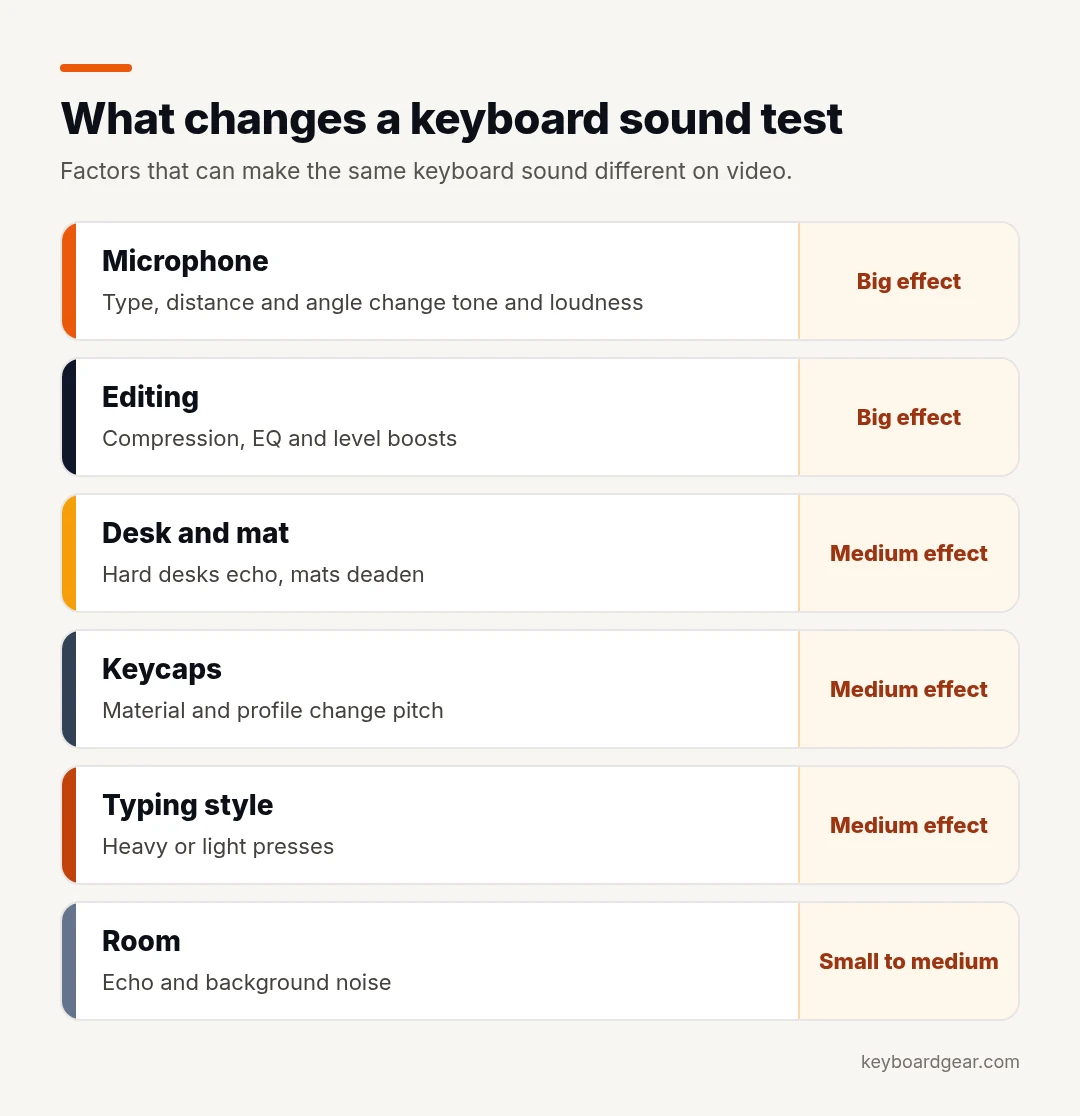
Keyboard sound tests are useful for a rough idea of whether a board is deep and muted (“thocky”) or sharp and bright (“clacky”), but they often mislead. Microphone placement, editing, the desk, keycaps and typing style can change a recording more than the keyboard itself. To judge fairly, compare clips from the same reviewer and setup, listen at a normal volume, and prefer unedited recordings with the mic at roughly head distance.
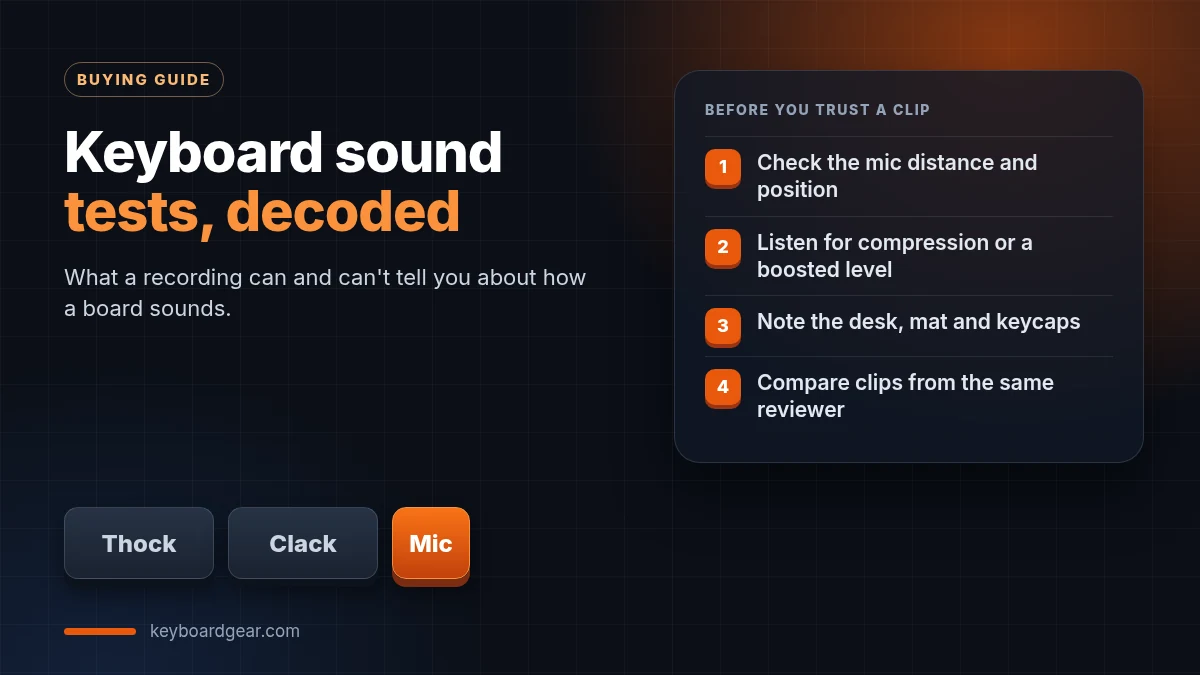
Sound has become one of the main reasons people choose a mechanical keyboard. Videos and short clips promise deep “thock” or creamy “clack”, and it’s tempting to buy whichever sounds best through your headphones. The trouble is that what you hear is a recording of a keyboard, in a particular room, through a particular microphone, often edited, and played back through your own speakers. Each step changes the sound.
This guide explains what to listen for and how to avoid being misled. If you’re unsure what “thock” and “clack” mean, read our explainer on thock vs clack first.
Why sound tests mislead
1. The microphone is closer than your ears
Many sound tests put the microphone a few centimetres from the keys. Close microphones exaggerate bass and pick up small details you’d never hear from your chair. A board that sounds deep and rich up close may sound ordinary at head height.
2. Editing and compression
Recordings are often compressed, normalised or equalised. Compression makes quiet sounds louder and loud sounds quieter, so a recording can make a loud keyboard seem gentle or a quiet keyboard seem punchy. A raised level makes everything seem more impressive. You often can’t tell how much processing has been done.
3. The desk and mat
A hard wooden or glass desk adds echo and resonance. A thick desk mat deadens high frequencies and makes almost any keyboard sound deeper. The same board can sound noticeably different on a bare desk and on a mat.
4. Keycaps
Keycap material and profile change pitch. Thick PBT keycaps usually sound deeper than thin ABS keycaps, and taller profiles can sound different from flat ones. If the reviewer used aftermarket keycaps, you won’t get the same sound with the stock set.
5. Typing style
Heavy typists who bottom out on every key make a keyboard sound louder and deeper. Slow, deliberate typing for a sound test sounds nothing like your normal writing speed.
6. Your playback
Phone speakers, earbuds and studio headphones all reproduce bass and treble differently, so the same clip will sound different to different people.
How to judge a sound test properly
- Compare within one reviewer. Clips from the same person, mic and desk are much more comparable than clips from different channels.
- Look for the setup. Good reviewers tell you the mic, distance, desk mat and keycaps. If none of this is stated, treat the clip as a rough impression.
- Prefer distant or “ear-level” recordings. These sound closer to what you’ll actually hear.
- Listen at a normal volume. Turning the volume up makes everything sound more dramatic.
- Listen for the big keys. The space bar, Enter and Shift reveal stabilizer rattle, which matters more than small differences between switches. Our guide to keyboard stabilizers explains why.
- Watch for typing speed. A clip of real typing tells you more than slow, single key presses.
- Read the text too. Written impressions from people who used the board for weeks are often more reliable than a short clip.
What actually shapes a keyboard’s sound
If you understand what makes a keyboard sound the way it does, you can predict it better than any clip:
| Part | Effect on sound |
|---|---|
| Switches | Linear, tactile or clicky; silent switches remove most clack |
| Mounting style | Gasket-mounted boards often sound softer |
| Case material and foam | Foam reduces hollow echo; heavy cases resonate less |
| Plate | Stiffer plates sound sharper; flexible plates softer |
| Keycaps | PBT often deeper; ABS often higher-pitched |
| Stabilizers | Lubed, tuned stabilizers remove rattle on large keys |
Mounting style is the least obvious of these; our guide to gasket mount keyboards explains why it softens sound.
The best “sound test” is your own
Nothing beats hearing a keyboard in person. A few practical options:
- Try switches with a switch tester. It won’t show case sound, but it tells you whether you like linear, tactile or clicky.
- Check the return policy and test the keyboard on your own desk during the return window.
- Record your current keyboard with your phone at head height, then compare it to reviews recorded the same way.
If quiet matters more than “nice sound”, focus on switch type and mounting rather than clips. Our guide on whether mechanical keyboards are loud compares switch types, and how silent switches work explains the quietest option.
Related guide: Keyboard Foam and Tape Mod: What Each Mod Changes in Sound
FAQ
Are keyboard sound tests accurate?
They give a rough impression, but microphones, editing, desks and keycaps can change the sound a lot. Compare clips from the same reviewer and setup.
Why does a keyboard sound better in videos?
Close microphones, compression and desk mats often make keyboards sound deeper and fuller than they do from your chair.
What makes a keyboard sound “thocky”?
A deeper, muted sound usually comes from thick keycaps, foam, a softer mounting style and linear or silent switches.
How can I hear a keyboard before buying?
Try a switch tester for switch feel and sound, or buy from a seller with a clear return policy and test it at home.
Do desk mats change keyboard sound?
Yes. A thick mat deadens echo and high frequencies, which usually makes a keyboard sound deeper and quieter.

Experience is what matters at the end!!
Hi! This is Jacob Jay – founder of Keyboardgear.com! From childhood to adulthood, I’ve always remained passionate about IT, and the revolution in this industry, especially gaming on the PC can’t go out of my way. Since I’m an enthusiastic gamer, and I love to experience various gaming accessories, particularly mechanical keyboards, that really boost my gaming adventure manifolds. So, my nerve cells hit me to transfer my experiences into word form and share with others to identify the ideal keyboards perfectly fit for their gaming modes.
I know very well how hard it is to find the high-quality items available on the internet that ought to be exactly the same as seen as on the screen. But the counterfeiters have ruined the user’s trust. As I have passed all such situations, I’m obliged to deliver the genuinity and express the same as what I am saying.
So, now, I’m working on the mission to provide very helpful and frankly but trustworthy reviews and guides about various mechanical keyboards, mouses, and other gaming accessories as per my personal experiences and sound knowledge.