

Keyboard Gear earns from qualifying purchases through Amazon links.
For most people, the Gateron 35-switch tester is the best pick: it covers linear, tactile, clicky and silent switches, adds four magnetic switches to feel, and costs under $20. Gateron’s 20-switch tester is a cheaper sampler at under $12, and if you want a much bigger comparison, KPrepublic’s 81-switch Kailh tester has more than twice as many switches. A tester shows you weight, feel and sound, but a switch can feel different once it’s in a full keyboard.
Switches decide how a mechanical keyboard feels and sounds, and a full set for a keyboard can cost as much as the board itself. A switch tester lets you press a range of switches side by side before you commit, so you can find out whether you like a smooth linear, a bumpy tactile or a loud clicky switch, and how heavy you like them.
This guide compares switch testers sold on Amazon US. We checked availability and prices on November 28, 2026, and the switch lists come from each listing. We haven’t tested these testers ourselves. If you’re new to switch types, start with our guide to linear vs tactile vs clicky switches.
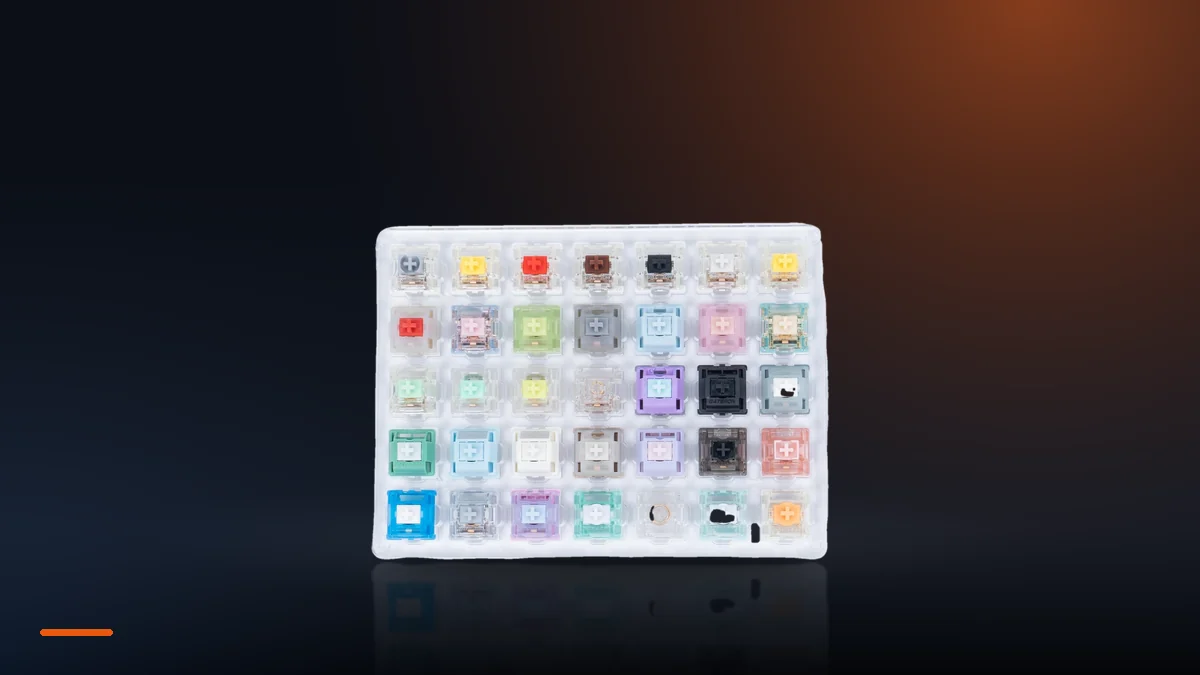
Best switch testers overview
| Product | Best for | Key specs | Price |
|---|---|---|---|
1 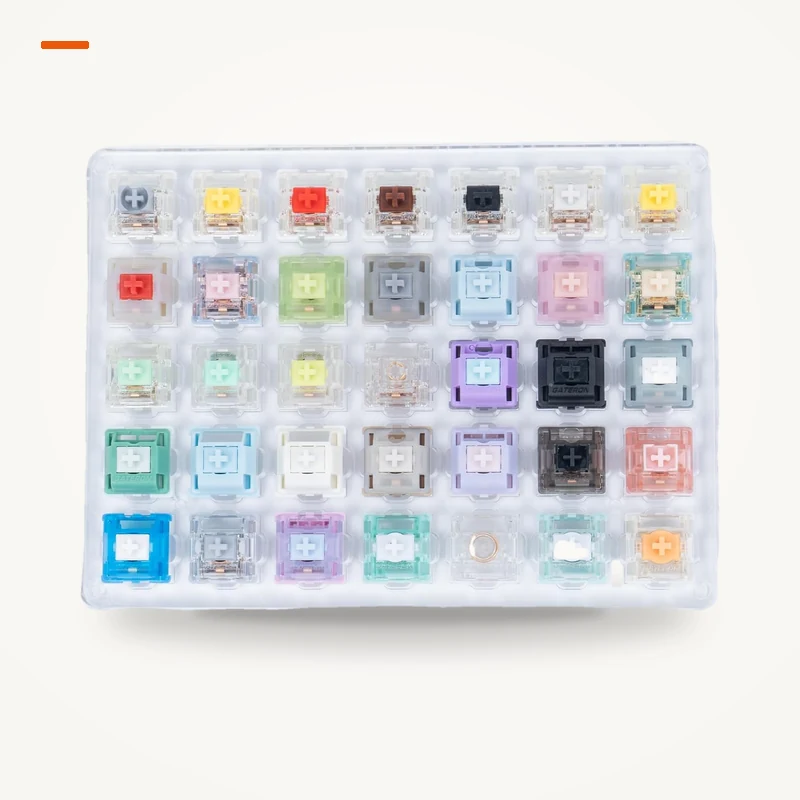 Gateron 35-Switch Tester (Mechanical and Magnetic) |
Best overall |
|
Check Price |
2 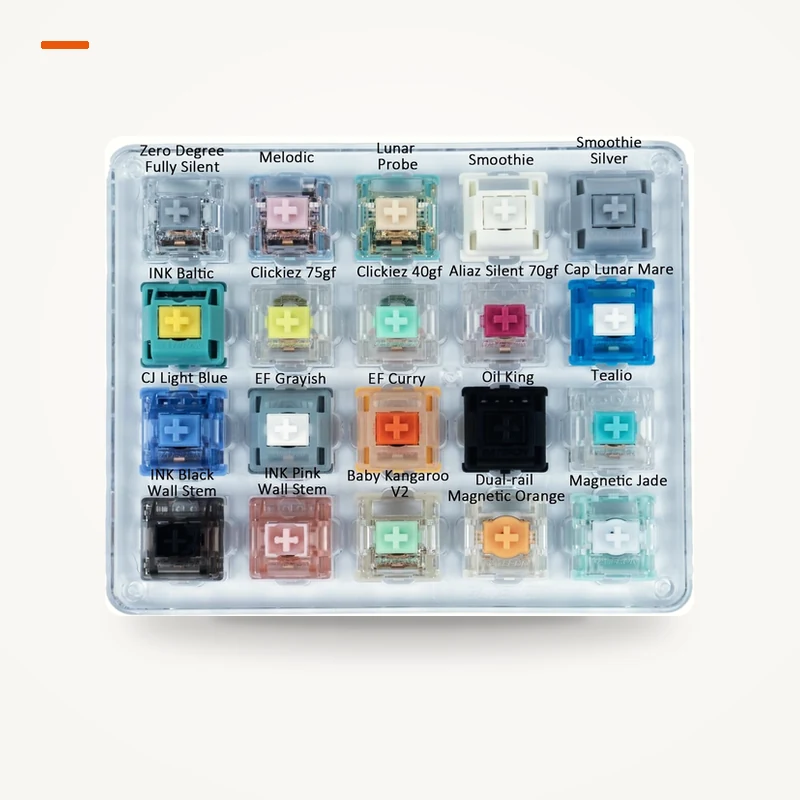 Gateron 20-Switch Tester (Mechanical and Magnetic) |
Best budget |
|
Check Price |
3 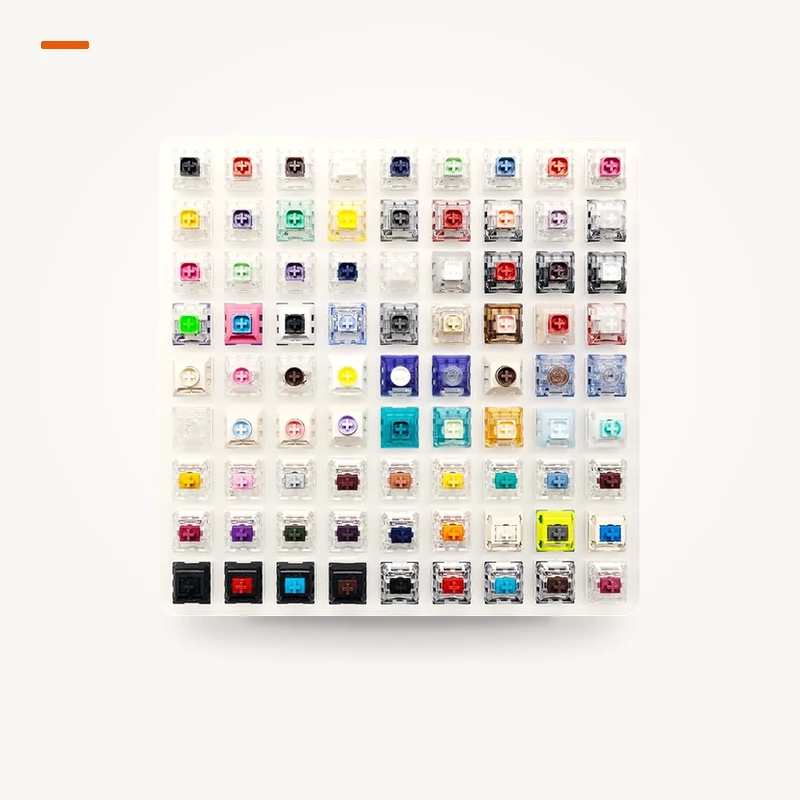 KPrepublic Kailh 81-Switch Tester |
Most switches |
|
Check Price |
What a switch tester can and can’t tell you
| A tester shows you | A tester can’t fully show you | |
|---|---|---|
| Feel | Linear, tactile or clicky; where the bump sits | How a switch feels over hours of typing |
| Weight | Light vs heavy springs side by side | How fatigue builds on a full board |
| Sound | The basic character: clicky, quiet, deep or bright | The full sound in a case, with plate, foam and keycaps |
| Travel | How far a switch moves and where it actuates | How it interacts with your typing style on a full layout |
| Stability | Some stem wobble | How stabilised keys, like the space bar, sound and feel |
Use a tester to narrow your shortlist to two or three switches, then read about them in more depth. The sound in particular changes in a real keyboard; our article on thock vs clack explains why.
How to choose a switch tester
Brand and compatibility
Testers are usually single-brand. If you already have a keyboard in mind, check which switches it ships with or supports, and choose a tester from that brand or one with similar switches. If you’re building a hot-swappable keyboard, you can use almost any MX-style switch.
Number and range of switches
A small tester covers the basics; a big one lets you compare close variants, such as two linears with different weights. More switches isn’t always better if you’re new: a well-chosen spread of linear, tactile, clicky and silent switches is easier to learn from.
3-pin vs 5-pin
5-pin switches have two extra plastic legs for stability on a PCB-mounted board. They fit most hot-swap keyboards, but some boards only take 3-pin switches unless you clip the legs; see 3-pin vs 5-pin switches.
Magnetic switches
Magnetic (Hall effect) switches only work in keyboards designed for them. A tester that includes them is useful if you’re considering a magnetic board, but don’t try to fit them in a standard mechanical keyboard.
Base and keycaps
A tester with keycaps and a solid base feels more like a real keyboard. Some bases double as a stand for lubing switches.
The best switch testers reviewed
1. Gateron 35-Switch Tester (Mechanical and Magnetic) — best keyboard switch tester overall
Who it’s for: Anyone choosing switches for a new board who wants to try Gateron’s current range in one box.
Gateron’s tester packs 35 switches into an acrylic box: 31 standard mechanical switches and 4 magnetic switches. The listing names a wide spread, including Oil King, Baby Kangaroo 2.0, Ink Black and Pink, Unicorn, Luciola, Melodic, G Pro 3.0, Cap, Clickiez, Smoothie and Zero Degree silent switches, so you get linears, tactiles, clickies and silent switches side by side.
The mechanical switches are 5-pin plate-mounted switches. Gateron is clear that the 4 magnetic switches won’t work in a standard mechanical keyboard; they’re there so you can feel them before buying a magnetic (Hall effect) board. The acrylic box can also be used as a stand for lubing switches. It was $18.30 (Prime member price), sold by Gateron Official Store and shipped by Amazon, on November 28, 2026.
Key specs: Gateron switch tester with 35 switches (31 mechanical, 4 magnetic); includes Oil King, Baby Kangaroo 2.0, Ink Black/Pink, Unicorn, Luciola, Lunar Probe, Melodic, G Pro 3.0, Cap, Clickiez, Smoothie and Zero Degree silent switches; 5-pin plate-mounted; linear, tactile and clicky; acrylic box doubles as lube station; magnetic switches not compatible with mechanical keyboards.
- 35 current Gateron switches
- Includes magnetic switches to feel
- Sold by Gateron, shipped by Amazon
- Low price
- Prime member price
- Only one brand
- Magnetic ones won’t fit a mechanical board
2. Gateron 20-Switch Tester (Mechanical and Magnetic) — best cheap keyboard switch tester
Who it’s for: Beginners who want a smaller, cheaper sampler of Gateron’s popular switches.
This smaller Gateron tester has 20 switches: 18 mechanical and 2 magnetic. The listing’s search title names switches such as Magnetic Jade, Baby Kangaroo, Smoothie and Melodic, and Gateron says each switch offers distinct tactile and acoustic feedback, aimed at first-time buyers and enthusiasts alike. Gateron points buyers to the listing’s second image for each switch’s specs.
The mechanical switches are 5-pin with gold contacts. As with the 35-switch tester, the magnetic switches are only for feeling the difference; they won’t work in a standard mechanical keyboard. It was $11.90 (Prime member price), sold by Gateron Official Store, on November 28, 2026.
Key specs: Gateron switch tester with 20 switches (18 mechanical, 2 magnetic); 5-pin; gold contacts; listing names Magnetic Jade, Baby Kangaroo, Smoothie and Melodic among the mix; magnetic switches not compatible with mechanical keyboards.
- Lowest price here
- Sold by Gateron
- Includes magnetic switches to feel
- Good beginner spread
- Prime member price
- Fewer switches
- Full switch list is in an image
3. KPrepublic Kailh 81-Switch Tester — biggest keyboard switch tester
Who it’s for: Enthusiasts who want to compare dozens of Kailh switches, including the Box range, before committing.
KPrepublic’s tester holds 81 Kailh switches, which is more than double Gateron’s count, so it’s the one to get if you want a deep comparison. The listing title mentions Kailh Box switches and named switches such as Cream Arctic Fox and Silver Jellyfish, and the switches sit in a transparent acrylic base with blank keycaps on top.
The base is laser-cut acrylic about 10 mm thick, thick enough that switch pins don’t prick your fingers, and the design is detachable. KPrepublic is a long-standing keyboard parts seller. It was $41.90, sold by KPrepublic, on November 28, 2026; delivery was quoted for mid-December, so order early if you need it soon.
Key specs: Kailh switch tester with 81 switches; transparent laser-cut acrylic base about 10 mm thick; blank keycaps; detachable design; thick base stops pins pricking fingers; listing mentions Kailh Box, Cream Arctic Fox and Silver Jellyfish.
- 81 switches
- Thick acrylic base
- Blank keycaps included
- Great for Kailh fans
- Long delivery time
- Kailh only
- Costs more than Gateron’s tester
Switch testers compared
| Tester | Switches | Brand | Extras | Price (Nov 28) |
|---|---|---|---|---|
| Gateron 35-switch | 35 (31 mechanical, 4 magnetic) | Gateron | Acrylic box, lube station | $18.30 (Prime) |
| Gateron 20-switch | 20 (18 mechanical, 2 magnetic) | Gateron | 5-pin, gold contacts | $11.90 (Prime) |
| KPrepublic Kailh 81 | 81 | Kailh | 10 mm acrylic base, blank keycaps | $41.90 |
Which tester fits you?
| If you… | Choose | Why |
|---|---|---|
| Are new to switches | Gateron 35-switch | Wide spread of types, low price |
| Want the cheapest sampler | Gateron 20-switch | 20 switches for under $12 |
| Are considering a magnetic board | Gateron 35-switch | Includes four magnetic switches |
| Want the biggest comparison | KPrepublic Kailh 81 | 81 switches |
| Prefer Kailh’s Box switches | KPrepublic Kailh 81 | Kailh-only lineup |
How to use a switch tester properly
- Press slowly first. Feel where the bump is on tactiles, and whether linears feel smooth or scratchy all the way down.
- Then type quickly. Tap each switch the way you’d type. Some switches that feel nice slowly feel mushy or heavy at speed.
- Bottom out and don’t. Try pressing all the way down and stopping at the actuation point; our guide to the actuation point explains the difference.
- Compare in pairs. Go back and forth between two switches rather than trying all of them at once.
- Listen with a keycap on. Sound changes a lot with a keycap fitted. Note which ones you’d be happy to hear all day, especially if you share a room.
- Write down your favourites. Note the name, type and weight of the two or three you liked most.
After the tester: choosing your switches
Once you’ve narrowed it down, look up full specs for your shortlist and decide on a weight. Our best linear switches and best tactile switches guides compare popular options. If your keyboard is hot-swappable, you can swap switches yourself; here’s how to change keyboard switches safely.
Switch types at a glance
| Feel | Sound | Good for | |
|---|---|---|---|
| Linear | Smooth from top to bottom, no bump | Quiet to moderate | Gaming, fast typing, people who dislike bumps |
| Tactile | A bump partway down tells you the key has registered | Quiet to moderate | Typing, mixed use |
| Clicky | A bump plus a click | Loud | Solo typists who love feedback |
| Silent | Linear or tactile with dampening | Quietest | Shared rooms, offices, late-night use |
| Magnetic (Hall effect) | Usually linear, with adjustable actuation on supported boards | Moderate | Gaming on magnetic keyboards only |
Weight matters as much as type. Lighter switches take less effort but are easier to press by accident; heavier ones feel more deliberate. A tester is the easiest way to discover where you sit, because you can press a light and a heavy switch one after the other.
Do you need to lube tester switches?
No. Testers are for comparing switches as they come. Many modern switches, including several in Gateron’s testers, are factory lubed. If you later buy a full set, you can decide then whether hand-lubing is worth the time. Gateron’s 35-switch acrylic box can double as a stand if you do.
Related guide: 10 Best Gifts for Keyboard Lovers and Mechanical Keyboard Fans
Related guide: Best Clicky Switches for a Crisp, Audible Click
Related guide: How to Open a Keyboard Switch Safely Without Breaking It
FAQ
Is a switch tester worth it?
For most people choosing their first or second mechanical keyboard, yes. It costs far less than buying a full set of the wrong switches.
Do switches feel the same in a tester and a keyboard?
The feel and weight are close, but sound and overall feel change with the keyboard’s case, plate and keycaps.
Can I use switches from a tester in my keyboard?
Often, yes, if they’re compatible with your board, but there’s usually only one of each, so they’re mainly useful for testing or as spares.
Will magnetic switches work in my mechanical keyboard?
No. Magnetic switches need a keyboard designed for them.
What’s the difference between linear, tactile and clicky?
Linear switches move smoothly, tactile switches have a bump, and clicky switches have a bump plus an audible click.
Which tester should a beginner buy?
One with a wide spread of types, like Gateron’s 35-switch tester, rather than a large tester full of similar switches.
Final verdict
The Gateron 35-switch tester is the best switch tester for most people: it covers linear, tactile, clicky and silent switches, includes magnetic switches to feel, and costs under $20. Gateron’s 20-switch tester is the budget pick for under $12. If you want to go deep on Kailh, KPrepublic’s 81-switch tester gives you more than twice as many switches to compare, as long as you can wait for delivery. Once you’ve found your favourites, our linear vs tactile vs clicky guide and switch roundups will help you buy a full set.

Experience is what matters at the end!!
Hi! This is Jacob Jay – founder of Keyboardgear.com! From childhood to adulthood, I’ve always remained passionate about IT, and the revolution in this industry, especially gaming on the PC can’t go out of my way. Since I’m an enthusiastic gamer, and I love to experience various gaming accessories, particularly mechanical keyboards, that really boost my gaming adventure manifolds. So, my nerve cells hit me to transfer my experiences into word form and share with others to identify the ideal keyboards perfectly fit for their gaming modes.
I know very well how hard it is to find the high-quality items available on the internet that ought to be exactly the same as seen as on the screen. But the counterfeiters have ruined the user’s trust. As I have passed all such situations, I’m obliged to deliver the genuinity and express the same as what I am saying.
So, now, I’m working on the mission to provide very helpful and frankly but trustworthy reviews and guides about various mechanical keyboards, mouses, and other gaming accessories as per my personal experiences and sound knowledge.