
Ortholinear keyboards use a grid layout instead of the staggered design of traditional keyboards. Supporters say this layout matches the natural movement of fingers. It may reduce travel time between keys and improve typing speed.
Critics disagree. They say the learning curve is steep. Muscle memory from standard keyboards can make switching hard. They also question whether the benefits are worth it.
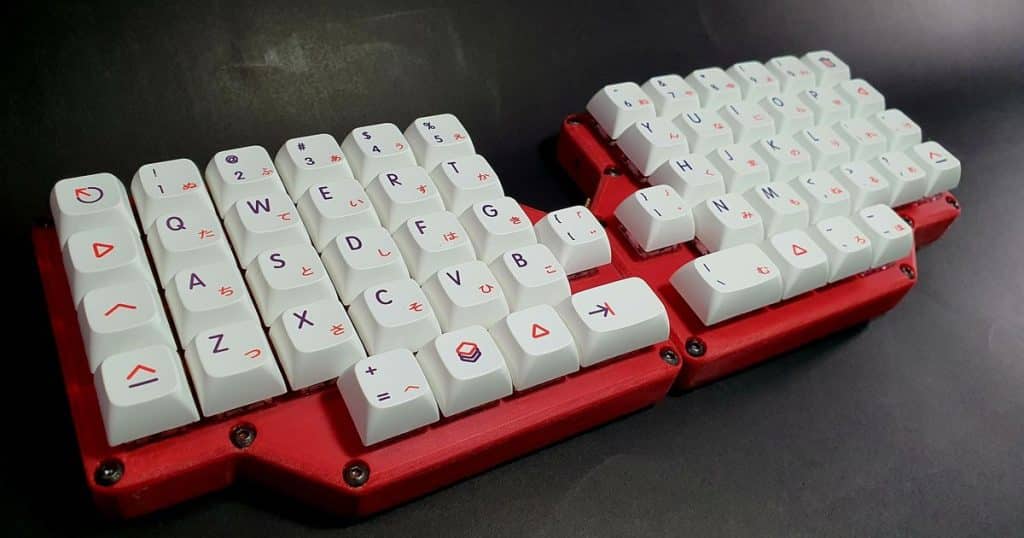
The debate about ortholinear keyboards focuses on ergonomics, speed, and accuracy. Most people are used to standard keyboards. This habit makes switching harder.
Ortholinear keyboards aim to cut down finger movement and strain. This appeals to professionals who type for long hours. Many see them as a way to stay comfortable and lower the risk of repetitive strain injuries.
There is little hard evidence comparing ortholinear and conventional keyboards. Most research is based on personal stories and preferences. Because of this, deciding if ortholinear keyboards are better is subjective. It depends on each user’s experience and adaptability. Thus, ortholinear keyboards demand a period of adjustment and personal trial to truly evaluate their ergonomic advantages.
Fundamentals of Ortholinear Keyboards
Ortholinear keyboards are distinct in their grid-like key alignment, offering a unique approach to typing and customization. They often prompt discussion regarding their potential ergonomic benefits and layout efficiency.
Definition and Design
Ortholinear keyboards are designed with keys aligned in a strict grid rather than staggered as seen in traditional keyboards. Each key is directly in line with the key above and below it, offering a symmetric aesthetic and a uniform travel distance for each finger. This design deviates from the typical QWERTY layout and can be found in various sizes, including 40%, 60%, and full-size variants.
Ergonomics and Typing Experience
The typing experience on an ortholinear keyboard often requires an adjustment period, yet some users report fewer finger movements and increased comfort. Proponents suggest that the straight travel paths for each finger may reduce strain and the potential for repetitive stress injuries. However, ergonomics is highly individual, and what works for one person may not be comfortable for another.
Keyboard Layout and Key Customization
Ortholinear keyboards typically feature a highly customizable layout. Users can reprogram keys and create layers for additional functionality, which can be tailored to specific workflows or applications.
- Key Programming: Allows for remapping keys and macros.
- Layers: Enable multiple functions per key.
Custom keycap sets designed for ortholinear layouts are also available, with options varying from simple color choices to complex thematic designs.
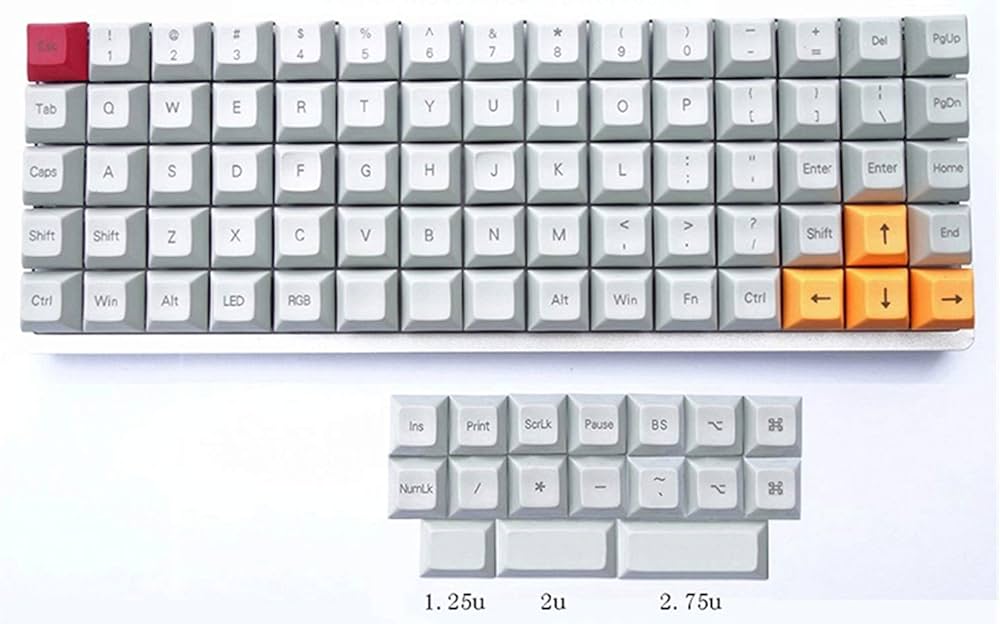
Comparative Analysis of Ortholinear vs. Traditional Keyboards
The distinction between ortholinear and traditional keyboards lies in the key layout and ergonomics, with implications for typing efficiency, learning curve, and cost-related considerations.
Typing Efficiency and Speed
Ortholinear keyboards use a grid layout. The keys align both horizontally and vertically. Therefore, the design aims to support more natural finger movement.
According to studies, some users may gain speed and efficiency. This is because their fingers travel less distance.
In contrast, traditional staggered keyboards have been the standard for decades. While they are not optimized for finger travel, many typists have still reached high speeds. This is mainly due to muscle memory and long practice.
Learning Curve and Adaptation
Adapting to an ortholinear keyboard can be challenging. This is because the layout is very different from traditional staggered keyboards. As a result, new users often go through a learning period. During this time, their typing speed may temporarily drop.
On the other hand, traditional keyboards are easier to learn. They are more common and familiar to most users. Therefore, the learning curve is much lower.
Availability and Cost
Ortholinear keyboards are less common and can be harder to find or more expensive than their traditional counterparts. They are often sold by specialized retailers or as custom, build-your-own kits. Traditional keyboards, on the other hand, come in a wide range of prices and are widely available, making them a more accessible option for most consumers.
User Preferences and Adaptability
The subjective nature of keyboard preferences impacts the adaptability of users to ortholinear keyboards. Factors such as user comfort, typing habits, and perceived productivity play a significant role in whether an individual might prefer an ortholinear layout over traditional staggered designs.
Professional and Casual Users
Professionals may be initially resistant to ortholinear keyboards due to muscle memory developed on staggered ones. However, some find the alignment of keys reduces finger travel, potentially increasing typing efficiency. Casual users may prioritize comfort and familiarity, and their adaptability varies based on willingness to relearn key placement.
- Typing Efficiency: Possibly improved through reduced finger movement.
- Muscle Memory: Requires retraining from staggered layout.
- Comfort: Highly subjective and dependent on individual preference.
Gaming and Programming Usage
Gamers often seek keyboards that allow for rapid and precise key presses which can be an advantage of ortholinear keyboards. Programmers might appreciate the uniform grid for easier access to function and special characters, potentially streamlining their workflow.
- Rapid Key Presses: May be enhanced by evenly spaced keys.
- Special Characters: Accessibility can be increased for programming needs.
Community and User Support
The community around ortholinear keyboards tends to be enthusiastic, offering support and customization options. User feedback often leads to iterative design improvements in ortholinear layouts.
- Support: Enhanced by a dedicated community.
- Customization: Highly supported, with various options for key mapping and physical modifications.
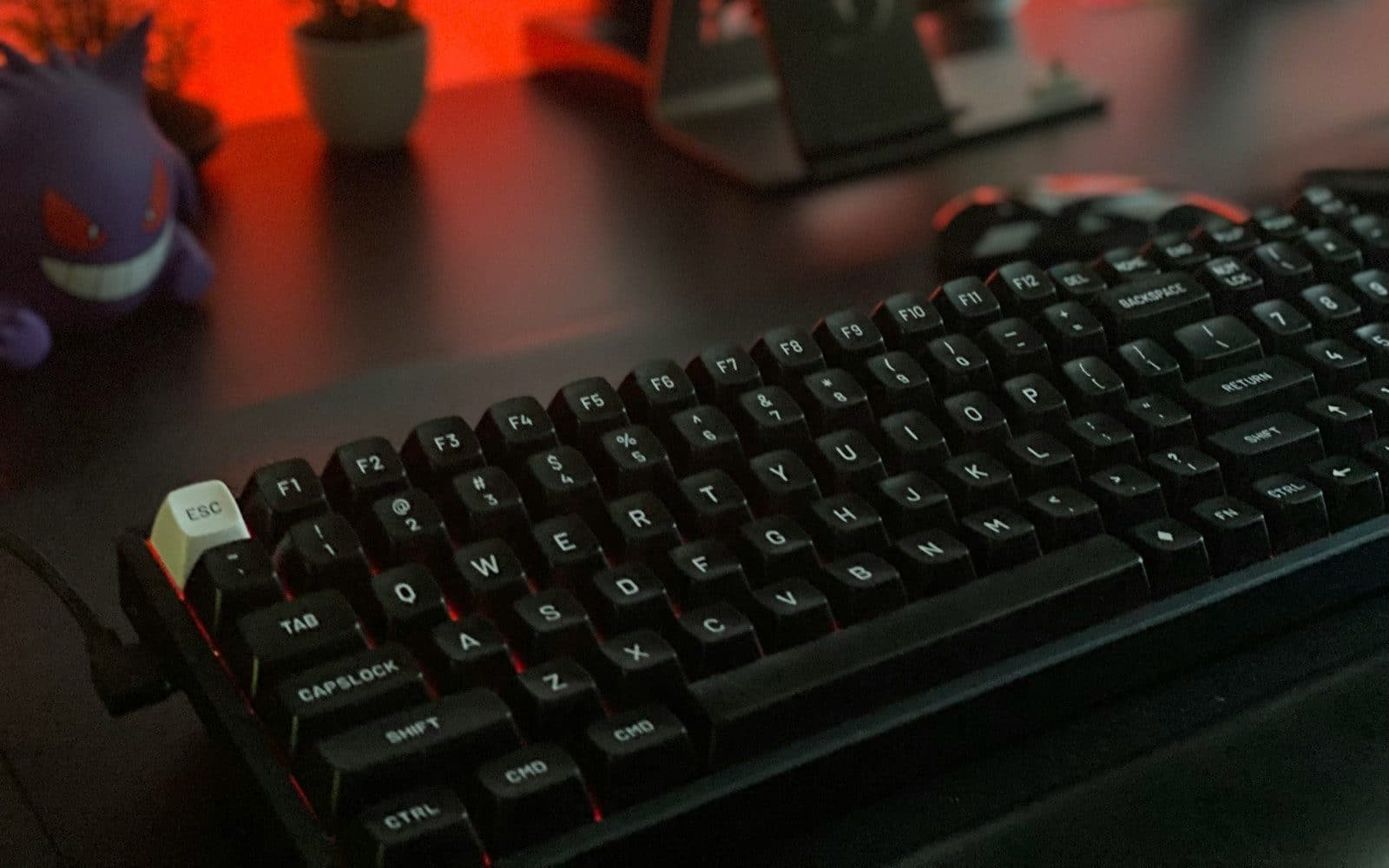
Final Considerations
In assessing whether ortholinear keyboards are better, one must weigh the tangible benefits against any potential drawbacks, and consider individual user needs.
Pros and Cons Summary
| Pros | Cons |
|---|---|
| Enhanced Ergonomics: They offer a straighter typing position, which can reduce finger travel and fatigue. |
Learning Curve: New users may struggle with the unfamiliar key layout. |
| Customizability: Users can often reprogram keys to suit their workflow. |
Limited Availability: They are less commonly found in mainstream retail stores. |
| Compact Design: Many models have a smaller footprint, saving desk space. |
Cost: High-quality models may be more expensive than traditional keyboards. |
Recommendations for Different Users
- Programmers and Writers: Ortholinear keyboards can be a smart choice for those who type for extended periods, offering a layout that can help reduce strain.
- Gamers: While they can be used for gaming, the non-standard key arrangement might not be ideal for all.
- Casual Users: They may prefer sticking to traditional keyboards unless they’re keen on exploring a more ergonomic option.
- Keyboard Enthusiasts: Those who enjoy customizing their typing experience will appreciate the programmability and unique keycaps often available for ortholinear models.
Conclusion
In conclusion, the decision to choose a keyboard that suits your needs involves weighing various factors. Enhanced ergonomics can lead to a more comfortable typing experience, reducing fatigue and possibly improving productivity. Customization options allow for a more personalized and efficient workflow, and a compact design can free up valuable desk space.
On the flip side, new keyboard layouts come with a learning curve. Specialized models are not always easy to find. Some options can also be expensive. These factors should be weighed against the benefits.
In the end, the right keyboard is the one that fits your style. It should match your work habits and ergonomic needs. That way, it blends smoothly into your daily routine.

Experience is what matters at the end!!
Hi! This is Jacob Jay – founder of Keyboardgear.com! From childhood to adulthood, I’ve always remained passionate about IT, and the revolution in this industry, especially gaming on the PC can’t go out of my way. Since I’m an enthusiastic gamer, and I love to experience various gaming accessories, particularly mechanical keyboards, that really boost my gaming adventure manifolds. So, my nerve cells hit me to transfer my experiences into word form and share with others to identify the ideal keyboards perfectly fit for their gaming modes.
I know very well how hard it is to find the high-quality items available on the internet that ought to be exactly the same as seen as on the screen. But the counterfeiters have ruined the user’s trust. As I have passed all such situations, I’m obliged to deliver the genuinity and express the same as what I am saying.
So, now, I’m working on the mission to provide very helpful and frankly but trustworthy reviews and guides about various mechanical keyboards, mouses, and other gaming accessories as per my personal experiences and sound knowledge.